

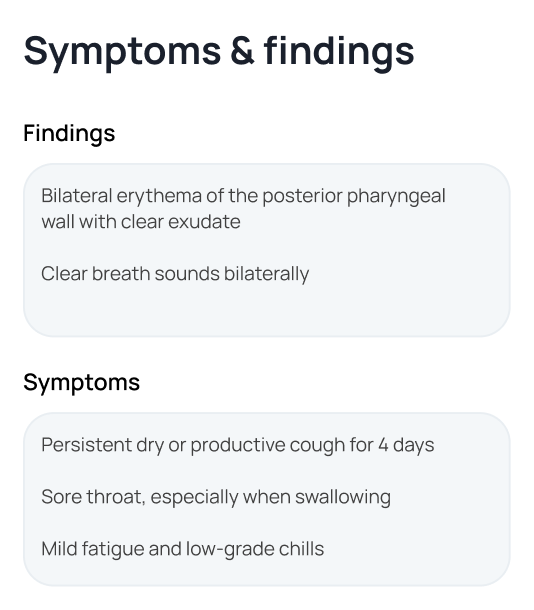
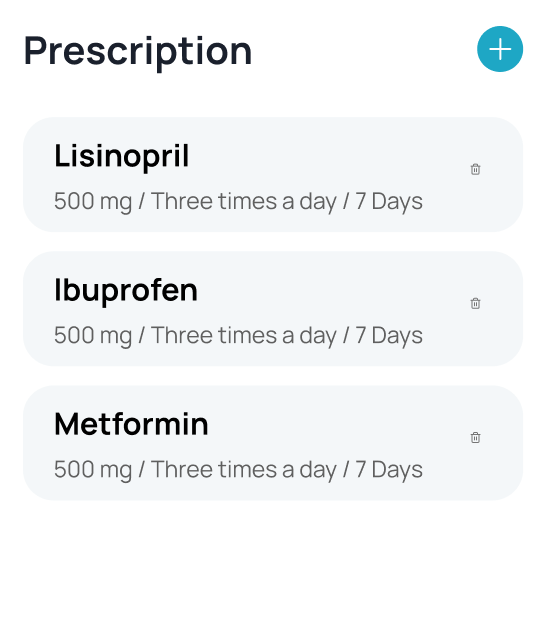
Patient Records
Keep the patient story in one place.
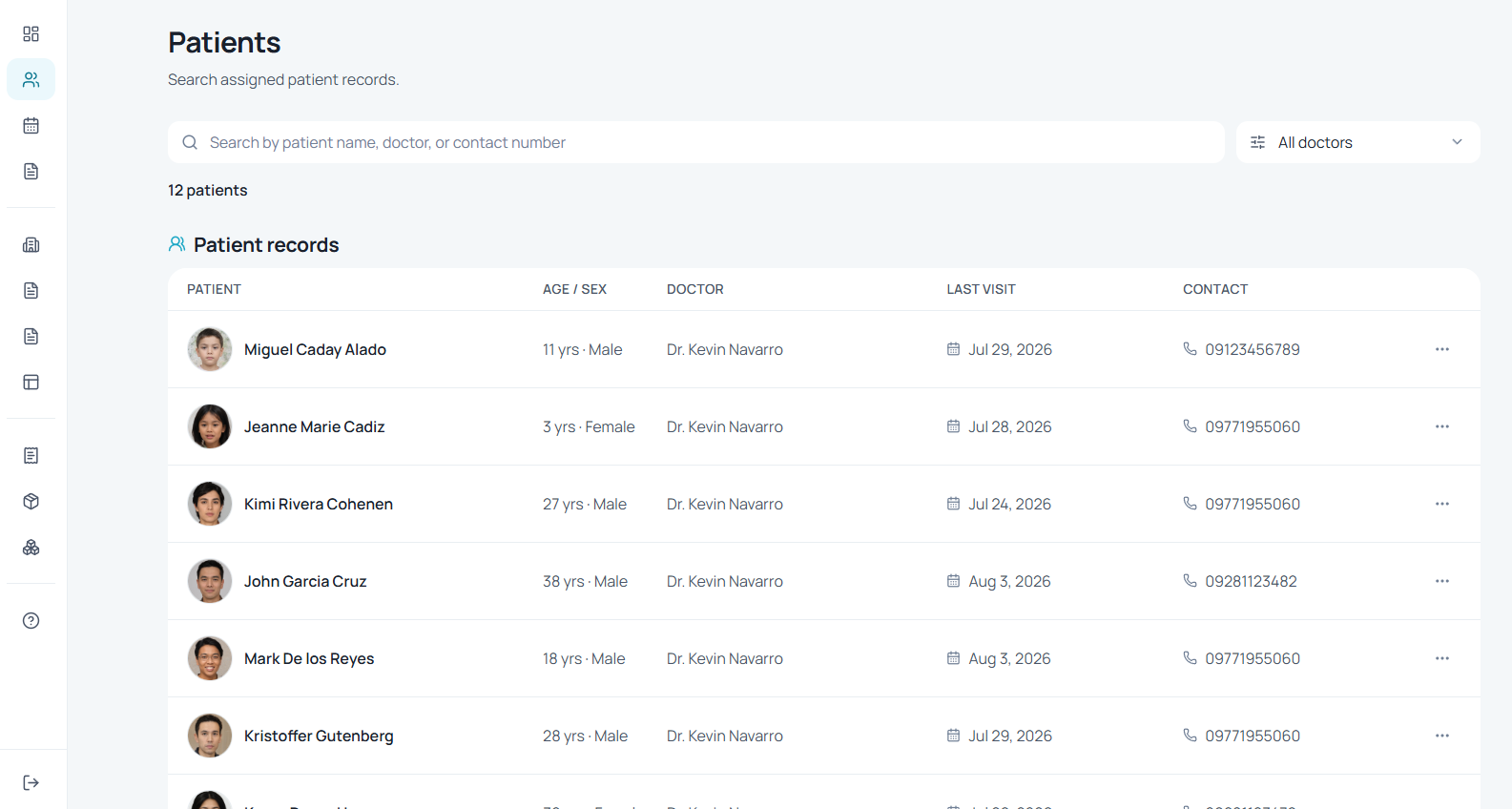
Find patient records quickly and keep visit history, contact details, clinical context, and balances connected.
KLNQ is clinic management software for doctors and dentists, bringing patient records, appointments, queue management, clinical work, dental tools, billing, and clinic operations into one connected workspace.
Book a demo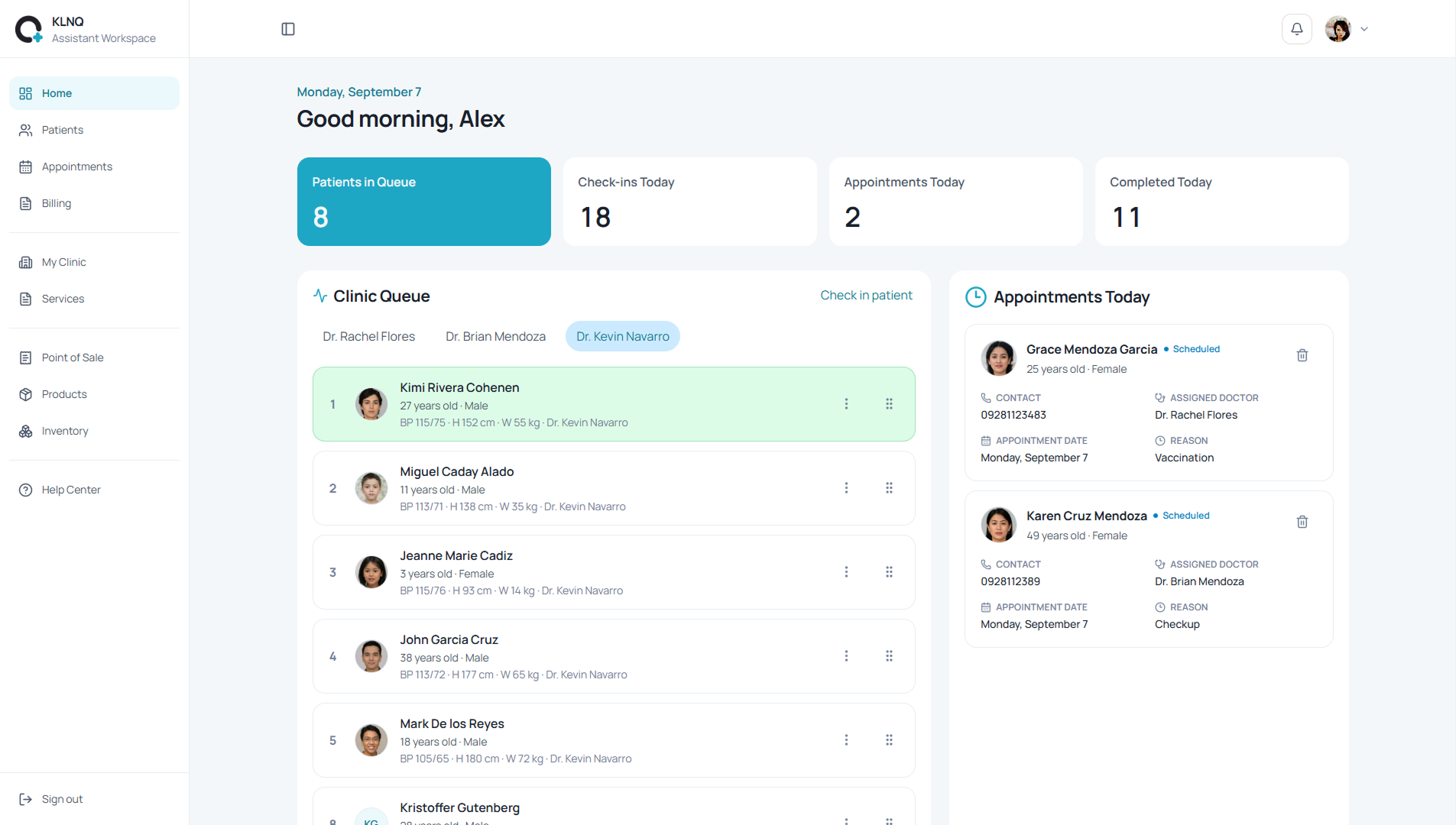
Patient Records
Find patient records quickly and keep visit history, contact details, clinical context, and balances connected.
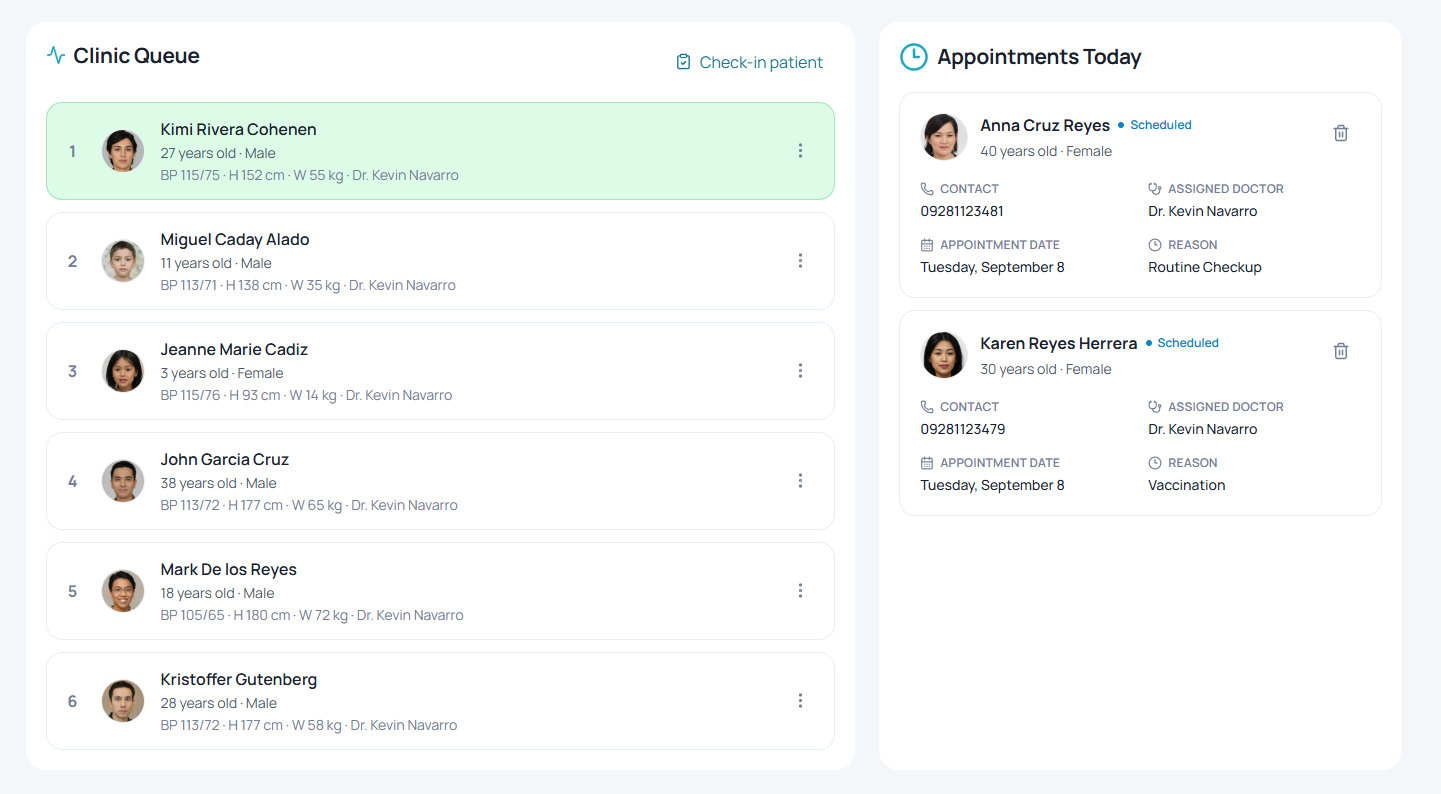
Realtime Queue
See who is waiting, review today’s appointments, and keep the handoff from reception to practitioner moving.
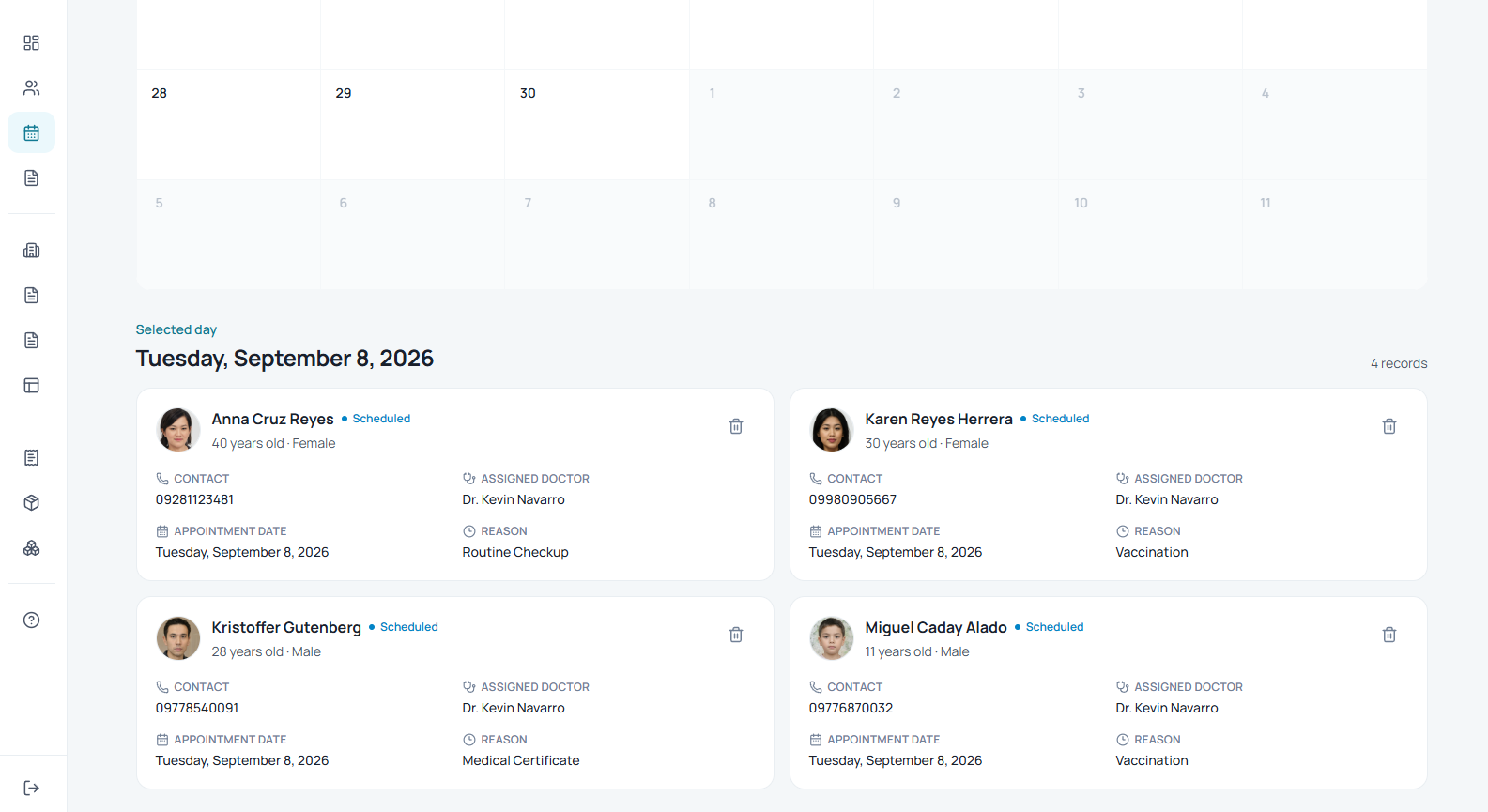
Appointments
View upcoming appointments, patient details, assigned practitioners, and visit reasons from one organized calendar.
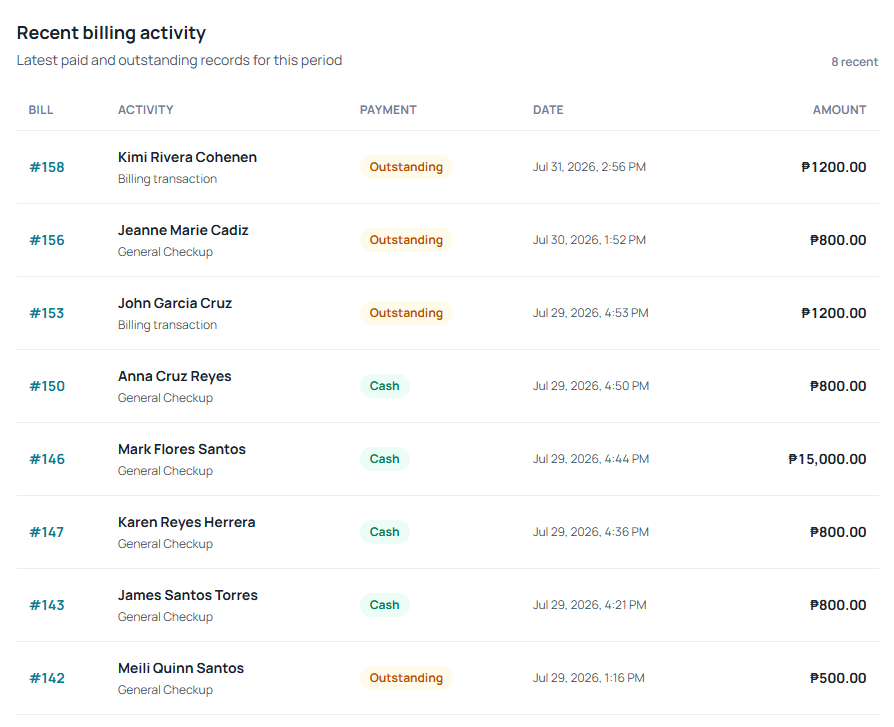
Billing
Review recent charges, recorded payments, outstanding balances, and billing activity without separating it from the clinic workflow.
KLNQ carries the right patient context through every part of the clinic day.
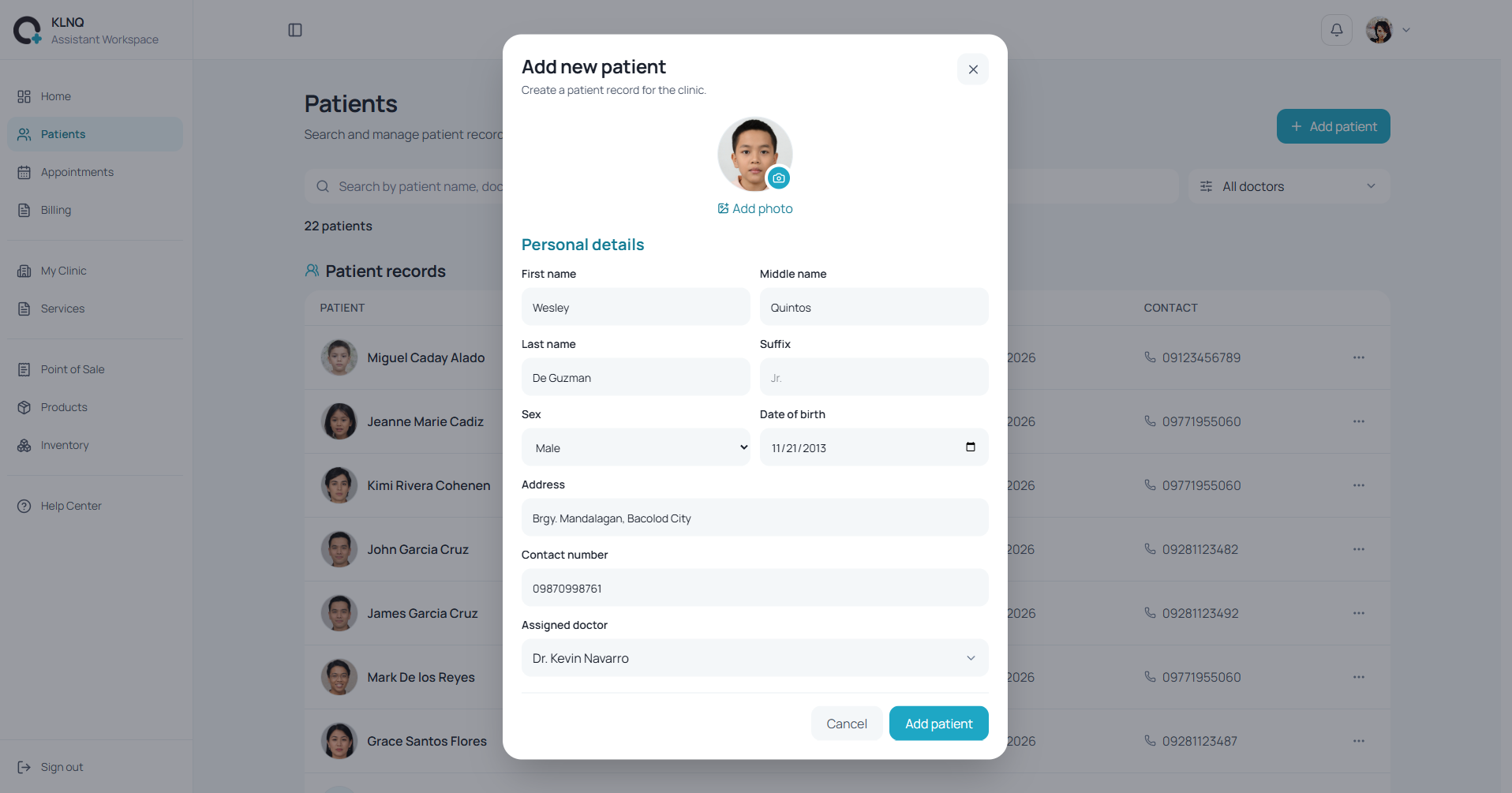
Step 1
Find an existing patient or add a new arrival, then connect the visit to the right practitioner and reason for consultation.
See how KLNQ manages patients, appointments, clinical work, billing, and clinic operations without jumping between disconnected tools.
Book a demoChoose the KLNQ workflow that fits your practice today.
Billed monthly
₱569/month
One practitioner account and one secretary account per plan.
This plan includes:
Billed yearly
₱6,145.20/year
One practitioner account and one secretary account per plan.
This plan includes:
Custom KLNQ plan
Custom
For clinics that need a plan shaped around their team and workflow.
This plan includes:
For medical practices managing the full clinic day.
20+ features included
A practical starting point for bringing KLNQ into your clinic. We’ll keep this guide updated as the product grows.
KLNQ is a clinic management and clinical workspace that brings patient records, appointments, check-ins, the live queue, clinical visits, billing, payments, inventory, and everyday clinic operations into one connected system.
KLNQ is built for private medical and dental clinics, including doctors, dentists, clinic owners, secretaries, and front-desk teams who want a clearer way to manage the clinic day.
Yes. KLNQ includes a Secretary workspace for tasks such as adding patients, scheduling appointments, checking patients in, managing the queue, recording billing activity, handling point-of-sale transactions, and maintaining clinic services and inventory.
Yes. KLNQ is a responsive web application, so you can access it through a compatible browser on desktops, laptops, tablets, and mobile devices. Larger screens may be more convenient for detailed clinical and dental charting workflows.
No. KLNQ is a Progressive Web App, so most clinic data is stored in the cloud rather than as a large local database on your device. It generally uses much less storage than a traditional desktop clinic system.
Yes. KLNQ supports both scheduled appointments and walk-in patients. Patients can be checked in, assigned to a practitioner, given a reason for the visit, and added to the live clinic queue.
Yes. KLNQ supports printable workflows, including template-based PDF prescription generation. Printing uses the normal browser and operating-system print options available on your device.
Yes. KLNQ can track billing records, outstanding balances, recorded payments, and installment activity. Payments can also be classified by method, including cash, card, GCash, Maya, QR PH, and bank transfer.
KLNQ is a clinic management and clinical workspace that brings patient records, appointments, check-ins, the live queue, clinical visits, billing, payments, inventory, and everyday clinic operations into one connected system.
Yes. KLNQ includes a Secretary workspace for tasks such as adding patients, scheduling appointments, checking patients in, managing the queue, recording billing activity, handling point-of-sale transactions, and maintaining clinic services and inventory.
No. KLNQ is a Progressive Web App, so most clinic data is stored in the cloud rather than as a large local database on your device. It generally uses much less storage than a traditional desktop clinic system.
Yes. KLNQ supports printable workflows, including template-based PDF prescription generation. Printing uses the normal browser and operating-system print options available on your device.
KLNQ is built for private medical and dental clinics, including doctors, dentists, clinic owners, secretaries, and front-desk teams who want a clearer way to manage the clinic day.
Yes. KLNQ is a responsive web application, so you can access it through a compatible browser on desktops, laptops, tablets, and mobile devices. Larger screens may be more convenient for detailed clinical and dental charting workflows.
Yes. KLNQ supports both scheduled appointments and walk-in patients. Patients can be checked in, assigned to a practitioner, given a reason for the visit, and added to the live clinic queue.
Yes. KLNQ can track billing records, outstanding balances, recorded payments, and installment activity. Payments can also be classified by method, including cash, card, GCash, Maya, QR PH, and bank transfer.
Yes. KLNQ includes a structured visual dental chart for permanent and primary dentition, with support for tooth status, tooth surfaces, restorations, crowns, implants, root canal history, bridges, prosthodontic appliances, and performed treatment history.
Yes. KLNQ includes structured periodontal charting with six measurement sites per tooth. You can record bleeding, plaque, suppuration, pocket depth, recession, mobility grading, and furcation grading.
Yes. Treatment plans can be created for the whole mouth, an arch, a quadrant, a single tooth, or multiple teeth. Where relevant, you can also specify individual tooth surfaces and add details such as material, crown type, canal count, priority, clinical notes, and estimated fees.
Yes. KLNQ supports a proposal-to-performance workflow, so planned procedures can move through statuses such as draft, presented, accepted, in progress, on hold, declined, and completed. Performed treatments can also remain part of the patient’s dental history.
Yes. KLNQ supports orthodontic and prosthodontic workflows including braces, clear aligners, retainers, space maintainers, expanders, crowns, bridges, removable partial dentures, complete dentures, repairs, relines, and other related procedures.
Yes. KLNQ includes a structured visual dental chart for permanent and primary dentition, with support for tooth status, tooth surfaces, restorations, crowns, implants, root canal history, bridges, prosthodontic appliances, and performed treatment history.
Yes. Treatment plans can be created for the whole mouth, an arch, a quadrant, a single tooth, or multiple teeth. Where relevant, you can also specify individual tooth surfaces and add details such as material, crown type, canal count, priority, clinical notes, and estimated fees.
Yes. KLNQ supports orthodontic and prosthodontic workflows including braces, clear aligners, retainers, space maintainers, expanders, crowns, bridges, removable partial dentures, complete dentures, repairs, relines, and other related procedures.
Yes. KLNQ includes structured periodontal charting with six measurement sites per tooth. You can record bleeding, plaque, suppuration, pocket depth, recession, mobility grading, and furcation grading.
Yes. KLNQ supports a proposal-to-performance workflow, so planned procedures can move through statuses such as draft, presented, accepted, in progress, on hold, declined, and completed. Performed treatments can also remain part of the patient’s dental history.
KLNQ pricing depends on whether you are using the Doctor or Dentist plan and whether you choose monthly or yearly billing. The current rates are shown directly in the pricing section above.
The Dentist plan includes additional specialized clinical tools, including dental charting, periodontal charting, oral assessment, tooth- and surface-level treatment planning, and other dental-native workflows.
Yes. KLNQ offers both monthly and yearly billing options. Yearly billing is paid in one annual amount and may include a lower effective cost than paying month to month.
Yes. You can book a demo before subscribing so you can see how KLNQ fits your clinic workflow, explore the features relevant to your practice, and ask questions before choosing a plan.
No. KLNQ is web-based, so your access is tied to your clinic and user account rather than to a single device. You can use the same account across compatible computers, tablets, and phones without purchasing a separate copy for each device.
KLNQ pricing depends on whether you are using the Doctor or Dentist plan and whether you choose monthly or yearly billing. The current rates are shown directly in the pricing section above.
Yes. KLNQ offers both monthly and yearly billing options. Yearly billing is paid in one annual amount and may include a lower effective cost than paying month to month.
No. KLNQ is web-based, so your access is tied to your clinic and user account rather than to a single device. You can use the same account across compatible computers, tablets, and phones without purchasing a separate copy for each device.
The Dentist plan includes additional specialized clinical tools, including dental charting, periodontal charting, oral assessment, tooth- and surface-level treatment planning, and other dental-native workflows.
Yes. You can book a demo before subscribing so you can see how KLNQ fits your clinic workflow, explore the features relevant to your practice, and ask questions before choosing a plan.
KLNQ stores clinic data in the cloud rather than relying on a single computer inside your clinic. This means your records are not dependent on one local hard drive or device.
Yes. KLNQ cloud data is backed up daily to help reduce the risk of losing clinic records because of local device failure or data corruption.
Because KLNQ is cloud-based, your clinic records are not stored only on that computer. If a device is damaged or replaced, you can sign in from another compatible device and continue accessing your clinic workspace.
KLNQ uses cloud storage with daily backups to reduce the risk of a single device failure or corrupted local file becoming the only copy of your clinic data. No system can guarantee that corruption is impossible, but KLNQ is designed so your records do not depend on one local device.
Yes. As long as you have an internet connection, a compatible browser, and an authorized KLNQ account, you can sign in from another computer, tablet, or phone and access your clinic workspace.
KLNQ is primarily a cloud-based web application, so an internet connection is required for normal operation. The current version should not be treated as an offline-first clinic system.
KLNQ stores clinic data in the cloud rather than relying on a single computer inside your clinic. This means your records are not dependent on one local hard drive or device.
Because KLNQ is cloud-based, your clinic records are not stored only on that computer. If a device is damaged or replaced, you can sign in from another compatible device and continue accessing your clinic workspace.
Yes. As long as you have an internet connection, a compatible browser, and an authorized KLNQ account, you can sign in from another computer, tablet, or phone and access your clinic workspace.
Yes. KLNQ cloud data is backed up daily to help reduce the risk of losing clinic records because of local device failure or data corruption.
KLNQ uses cloud storage with daily backups to reduce the risk of a single device failure or corrupted local file becoming the only copy of your clinic data. No system can guarantee that corruption is impossible, but KLNQ is designed so your records do not depend on one local device.
KLNQ is primarily a cloud-based web application, so an internet connection is required for normal operation. The current version should not be treated as an offline-first clinic system.